Walking treadmills (aka walking pads and under-desk treadmills) are one of the easiest ways to get more steps without carving out extra workout time. But here’s the catch: a little maintenance goes a long way. Ignore it and you’ll start noticing belt drift, squeaks, extra drag, or a treadmill that just feels “off.”
The most important walking treadmill maintenance is wiping it down, vacuuming dust, lubricating under the belt (on schedule), and checking belt alignment/tension. These steps reduce noise, prevent belt slipping, and help the motor run cooler.
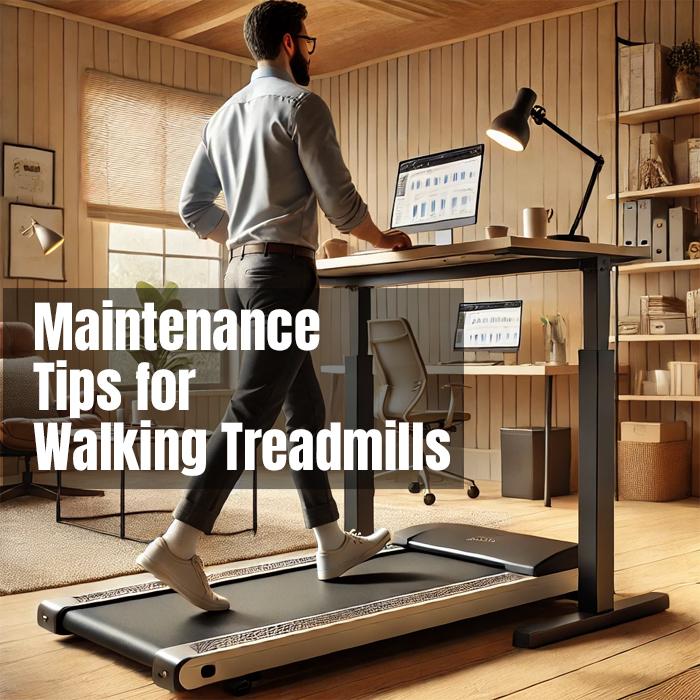
If you use your treadmill at a desk, your machine is probably getting more frequent “light use” than a normal treadmill. That’s great for your health—just make sure you’re also doing the small upkeep that keeps everything smooth and quiet.
Helpful internal reads: If you’re still choosing a model (or thinking about upgrading), start with the best under-desk treadmills, the quietest under-desk treadmills, and our guide on best treadmill desk walking speed (speed impacts noise, heat, and belt wear).
Why Maintenance Matters
Maintenance isn’t about being “handy.” It’s about protecting the parts that wear out fastest: the belt, deck, rollers, and motor area. When those stay clean and properly lubricated, your walking treadmill feels better and lasts longer.
- Longer lifespan: Small issues (friction, dust, drift) don’t snowball into expensive repairs.
- Quieter walking: Less squeaking, rubbing, and “belt drag” sounds.
- Safer use: A centered belt and stable deck reduce missteps and sudden stutters.
Tip: If you’re asking, “How do I keep my walking pad quiet?” the answer is usually lubrication + dust cleanup.
Checklist: Key Maintenance Tasks
Here’s the short list that covers 95% of what most walking treadmills need.
- Quick wipe-down
- After walking, wipe sweat/dust from the rails, housing, and console.
- Lubricate under the belt
- Apply lubricant based on your manual or usage (many desk-walkers do it every 2–3 months).
- Check bolts and screws
- Vibration loosens hardware over time—especially if you move the unit often.
- Confirm belt tracking
- The belt should stay centered and not drift left/right while walking.
- Keep the motor area dust-free
- Dust holds heat. Heat stresses the motor and electronics.
If you want the full “desk setup” side too, pair this with treadmill desk ergonomics so your posture stays comfortable as the miles add up.



Note: If your treadmill is constantly noisy even after lubrication, it may be a motor/build issue. Our quiet under-desk treadmill guide focuses on models that stay quieter over time, not just out of the box.
Step-By-Step Maintenance Guide
Think of this as a simple routine you can repeat. No special skills required—just consistency.
- Wipe the treadmill after walking
- Use a soft cloth. A tiny bit of mild cleaner is fine—skip anything harsh or oily on the console.
- Vacuum around and under the treadmill
- Dust bunnies love hiding under walking pads. Keep that area clean so debris doesn’t migrate into moving parts.
- Lubricate under the belt (on schedule)
- Lift the belt and apply treadmill lubricant in a thin, even layer. Then walk slowly for a few minutes to spread it.
- Check belt centering
- Start at 1 mph and watch the belt. If it drifts, adjust the rear roller bolts in small increments (usually 1/4 turn).
- Do a quick motor-area dust check
- Every couple months, inspect the motor housing area (per your manual) and remove dust gently with a vacuum.
Tip: “How often should I lubricate my walking treadmill?” Most desk-walkers do it about every 2–3 months, but your manual and usage are the real boss here.
If you’re noticing belt drift or slipping, you’ll also like our troubleshooting guide: treadmill belt slipping and common fixes.
Pros And Cons Of Regular Maintenance
| Aspect | Pros | Cons |
|---|---|---|
| Performance | Keeps walking smooth and quieter | You have to remember to do it |
| Durability | Reduces wear on belt, deck, and motor | Neglect can lead to bigger repairs |
| User experience | Fewer slips, stutters, and weird noises | Some models need an Allen key |
Specific Examples (What Maintenance Fixes)
- Dust-free walking: Regular vacuuming helps prevent overheating and protects the motor.
- Quieter operation: Lubrication reduces friction, which usually reduces squeaks and rubbing sounds.
- Staying centered: A quick belt alignment check prevents drift and uneven wear.
People Also Ask (Quick Answers)
How do I maintain a walking pad treadmill?
Wipe it down, vacuum around it, lubricate under the belt on schedule, and check belt alignment so it stays centered.
Why is my walking treadmill so loud?
Most often it’s a dry belt/deck, dust buildup, or belt alignment drifting. Lubrication and a quick alignment check usually help.
Do I need a treadmill mat?
It helps. A mat reduces vibration, protects floors, and keeps debris from getting pulled under the treadmill.
What happens if I don’t lubricate my treadmill?
Friction increases. That can cause louder operation, belt wear, motor strain, and a shorter treadmill lifespan.
Tips For Easy Maintenance (No Fuss)
- Make it a tiny routine
- Set a weekly 10-minute “reset” for wiping and a quick belt check.
- Use a mat if you can
- It cuts down on vibration and keeps grit from building up underneath.
- Keep a small kit nearby
- Allen key, soft cloth, and lubricant = most problems solved fast.
- Follow your model’s manual
- Some walking pads are “low-maintenance,” others need a more regular lube schedule.
If you want to build a sustainable routine, pair maintenance with a comfort strategy: best treadmill desk speed and how to multitask on a treadmill desk (walking too fast often increases noise and fatigue).
Conclusion
Walking treadmill maintenance doesn’t need to be complicated. A quick wipe-down, a little dust control, and belt lubrication on schedule will keep your treadmill quieter, smoother, and more reliable for the long haul. Treat it like a tool you use daily—and it’ll keep showing up for you every day.