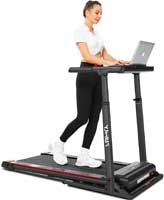
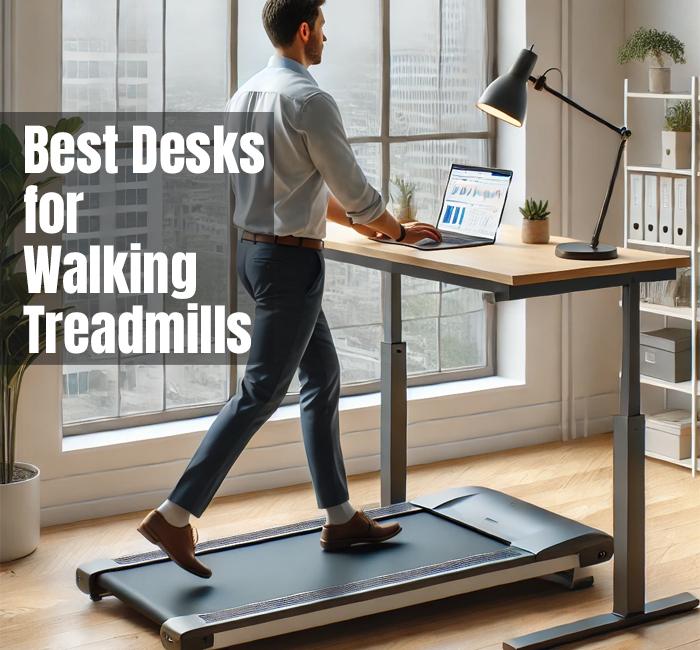
Pairing an under-desk treadmill with the right desk is where the magic happens. The treadmill gets you moving, but the desk is what makes the setup feel “easy” and sustainable—comfortable arms, stable screen, and zero wobble while you type.
TIP: The best desk for an under-desk treadmill is a sturdy height-adjustable standing desk with a wide top (at least 48″), strong frame, and good cable management. Set the height so your elbows sit near a 90° angle while typing, and keep your walking pace slow enough that your shoulders stay relaxed.
If you’re still choosing your treadmill, you’ll want these too: best under-desk treadmills and the quietest under-desk treadmills (desk + treadmill noise is a real factor in home offices).
Key Features To Look For In A Desk
Not every “standing desk” plays nicely with treadmill walking. Here’s what actually matters when you’re typing while moving:
- Real height adjustability: You want a desk that easily hits your ideal typing height while walking.
- Stable, heavy-duty frame: Wobble is the #1 desk killer for treadmill productivity.
- Enough desktop space: A monitor + keyboard + mouse needs room so your hands don’t feel cramped.
- Cable control: You’ll have power cords, monitor cords, and treadmill cords—keep them tidy.
- Foot clearance: Make sure the desk legs don’t block where your treadmill sits.
- Fits your room: Small office? A compact desk or attachment can be a smarter move.
“What desk works best with a walking pad?” Look for a sturdy electric standing desk with enough width and minimal side-to-side wobble.
Checklist: Choosing The Right Desk
Use this quick checklist to avoid buying a desk that looks great… but feels annoying the moment you start walking.
- Treadmill clearance
- Will the treadmill fit between the desk legs, and can you still walk centered?
- Comfortable typing height
- Can you set the desk so your elbows are near 90° and your shoulders stay relaxed?
- Stability at your walking pace
- If the desk wobbles while you walk at 1–2 mph, it’s going to drive you nuts.
- Workspace layout
- Do you need one large monitor? Two monitors? A laptop + external keyboard?
- Looks + lifestyle
- If the desk matches your space, you’ll keep the setup long term.
For best results, pair the desk decision with your walking strategy: best treadmill desk walking speed (this affects typing comfort and desk wobble).
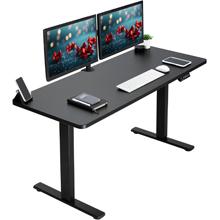
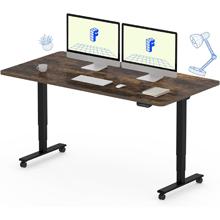
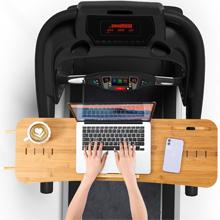
Product Tip: If you already have a solid desk you love, a treadmill desk attachment can be a surprisingly clean solution—especially for laptops, a water bottle, and a mouse—without redoing your entire office setup.
Step-By-Step: Setting Up Your Treadmill Desk
Here’s the setup sequence that prevents the “why does this feel awkward?” problem.
- Measure your treadmill and your desk footprint
- Make sure you’ll have space behind you to step off safely, and that the desk legs won’t force you to walk off-center.
- Center the treadmill under the work zone
- Your hands should naturally land in the middle of the desk, with your feet centered on the belt.
- Set desk height for relaxed typing
- Aim for elbows near 90°. If your shoulders creep up, the desk is too high.
- Place your screen at eye level
- Use a monitor arm or riser so you’re not looking down all day. This matters more than most people realize.
- Clean up the cables
- Route cords away from the belt and walking area. Velcro ties make this fast and reversible.
- Test at a slow speed first
- Walk at 0.7–1.2 mph while typing for a few minutes. Then adjust speed upward only if your hands stay steady.
For comfort and posture specifics, use our guide: treadmill desk ergonomics. And if you’re wondering about productivity, this helps: multitasking on a treadmill desk.
Pros And Cons Of Different Desk Types
| Desk Type | Pros | Cons |
|---|---|---|
| Electric Adjustable | Fast height changes, precise comfort tweaks | Costs more, needs power |
| Manual Crank | Budget-friendly, fewer electronics | Slower to adjust mid-day |
| Fixed-Height | Simple and affordable | Hard to get ergonomic for walking |
| Compact/Folding | Great for tight spaces | Smaller surface, can wobble |
Desk Picks By Scenario
Instead of “best desk overall,” it’s more helpful to match the desk to how you actually work.
- If you want the most stable setup:
- Go with a wide electric adjustable desk. It’s the easiest way to keep your screen steady while walking.
- If you move your setup around:
- A standing desk on wheels can work well—just make sure the frame doesn’t flex and you can lock it in place.
- If space is tight:
- Consider a compact desk or a treadmill desk attachment, especially if your treadmill stores under a couch/bed.
- If you already own a fixed desk:
- A monitor riser + keyboard tray can improve posture, but you’ll still have less flexibility than a true adjustable desk.
Need treadmill recommendations that match desk walking (quiet motor + stable belt)? Start here: best under-desk treadmills and quiet under-desk treadmills.
Tips For Enhancing Your Setup
- Use an anti-fatigue mat for standing breaks: Your feet will thank you when you step off the treadmill.
- Add a laptop stand or monitor arm: Eye-level screens reduce neck strain fast.
- Do basic cable management: Keeps cords out of the belt zone and prevents “snag” accidents.
- Keep the top uncluttered: A clean desk makes it easier to type steadily while walking.
Also worth bookmarking: walking treadmill maintenance (a quiet treadmill desk setup is often a maintenance issue, not just the model).
People Also Ask (Quick Answers)
What kind of desk do I need for an under-desk treadmill?
A sturdy adjustable standing desk with enough width for your monitor and accessories, plus good stability while walking.
How high should my desk be while walking?
High enough that your elbows stay close to a 90-degree bend and your shoulders remain relaxed—not shrugged.
Why does my desk wobble when I use a walking pad?
Usually because the frame is lightweight or the desk is too tall for its design. A heavier frame and wider top typically reduce wobble.
Can I use a treadmill desk with a regular desk?
Sometimes, yes—if the desk height is right and the treadmill fits safely. Many people add a desk attachment or riser to improve comfort.
Conclusion
The best desk for an under-desk treadmill is the one that keeps you comfortable, stable, and set up for long sessions. Prioritize height adjustability, frame sturdiness, and enough workspace for your gear. Once the desk feels “effortless,” the treadmill desk habit is much easier to keep—and your productivity usually improves along with your step count.