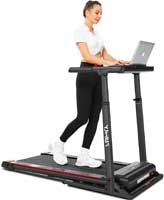
Treadmill desks can be a game-changer for energy and daily steps. But if you walk for long stretches with a poor setup, your body will complain. The most common issues are joint irritation, low back tightness, and wrist or shoulder strain. The good news is this is usually preventable with a few smart habits.
Quick answer: Keep your pace easy, fix desk height, and take planned breaks. Most people feel best at 0.8–1.5 mph for typing. Add rest every 30–60 minutes.
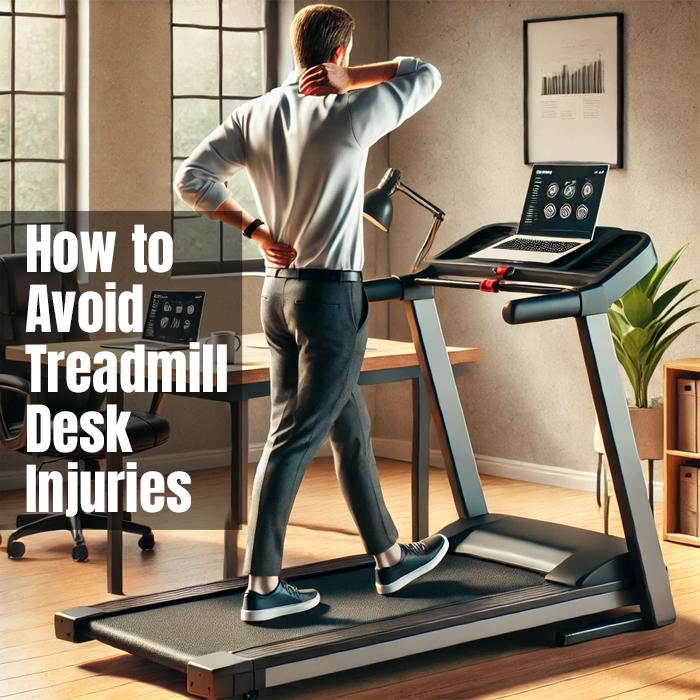
Common Overuse Problems (And Why They Happen)
Most treadmill desk discomfort comes from too much time, too little variety, or a desk that is not set up right.
- Joint irritation
- Long sessions can overload ankles, knees, or hips.
- Fast speeds can increase impact and sloppy steps.
- Low back or neck pain
- Reaching to type pulls your spine out of alignment.
- A low monitor makes you crane your neck.
- Wrist, shoulder, or elbow strain
- Typing with tense shoulders loads your upper body.
- Mouse work gets shaky when you walk too fast.
Small changes usually fix these quickly. Start with desk height and speed.
Fast Checklist: Prevent Treadmill Desk Injuries
Run this checklist once. It saves a lot of trial and error.
- Set ergonomic desk height
- Keep elbows near 90 degrees while typing.
- Walk slower than you think
- Use 0.8–1.5 mph for most computer work.
- Plan breaks on purpose
- Switch position every 30–60 minutes.
- Relax your upper body
- Drop your shoulders and loosen your grip.
- Wear supportive shoes
- Stable shoes can reduce joint stress.
If you want a deeper setup guide, see treadmill desk ergonomics.
Step-By-Step: A Safer Treadmill Desk Routine
This is a simple routine you can follow today.
- Start with short blocks
- Try 15–30 minutes at first.
- Add time week by week.
- Rotate positions all day
- Walk, stand, then sit.
- This reduces repetitive strain.
- Put your screen where your neck wants it
- Top of the monitor near eye level works well.
- Add micro-stretches
- Do 20 seconds for calves, hips, and wrists.
- Repeat each hour.
- Track steps, not suffering
- Chasing a big step number can backfire.
- Comfort comes first.
If you want a step goal that feels realistic, see how to get 10,000 steps a day.
If your treadmill feels distracting, this guide helps: quiet treadmill desk tips.
Best Pace To Reduce Strain
Walking speed is a big injury lever. Too fast creates bounce. Bounce creates tension.
- Typing and mouse work: 0.8–1.5 mph
- Meetings and listening: 1.2–2.0 mph
- Reading: 1.0–1.8 mph
If you want to dial this in, read: best walking speed for an under-desk treadmill.
Pros And Cons Of Daily Treadmill Desk Use
| Aspect | Pros | Cons |
|---|---|---|
| Movement | More daily steps and better circulation | Overuse can irritate joints |
| Focus | Many people feel more alert | Fast speeds can reduce accuracy |
| Home office | Fits small spaces with a walking pad | Noise can bother others |
Examples You’ll Recognize
- Knee ache after “all-day walking”: Shorter blocks and slower speed usually fix it.
- Low back tightness: Raising the desk to elbow height often helps fast.
- Wrist fatigue: Slowing down and relaxing shoulders reduces strain.
People Also Ask
Can a treadmill desk cause injuries?
Yes, if you walk too long, too fast, or with poor posture. Smart breaks and setup prevent most issues.
Is it bad to walk all day at a treadmill desk?
It can be. Most people do best with walking blocks and sitting breaks.
What’s the safest treadmill desk speed?
For most work tasks, 0.8–1.5 mph is a safe starting range.
FAQs
How long should I walk on a treadmill desk each day?
Start with 30–60 minutes total, split into intervals. Add time slowly.
Is soreness normal when starting?
Mild soreness can happen early. Sharp or lasting pain is not normal.
Do I need special shoes?
Not always, but stable, cushioned shoes help many people.
What if my treadmill desk is noisy?
Noise can increase tension. Try a mat and check belt maintenance.
For upkeep help, see walking treadmill maintenance.
Tips For Long-Term Comfort
- Use an anti-fatigue mat: It can soften long standing breaks.
- Keep speed easy: You should breathe normally while typing.
- Warm up your joints: Start slow for five minutes.
- Stop chasing perfection: Comfort beats step counts.
Conclusion
A treadmill desk should help you feel better, not beat you up. Keep your pace comfortable, fix your posture, and take breaks on purpose. When your setup supports your body, the steps add up without the aches.